
Operational events
Self-contained containers per deployment. Own incidents, own resources, own audit trail. The fair, the marathon, the holiday market each live in their own event.
Features
ctHelixCAD™ was scoped from real after-action reviews — not enterprise feature checklists. Each capability earned its place because an operator asked for it at a field command post, an EOC table, or a 24/7 dispatch center.
Self-contained containers per deployment. Own incidents, own resources, own audit trail. The fair, the marathon, the holiday market each live in their own event.
Geographic posts with map view. Build a reusable template library so each year’s plan is a clone, not a rebuild.
One master roster of personnel and apparatus. Clone any subset into an event. Multi-agency by default — filter, group, and color by agency, resource type, home station, or capability tag.
Police, Fire, EMS, Security, and custom types. Filter, group, color-code so the board reads at a glance from across the room.
Full incident lifecycle and a configurable CFS catalog — code, description, category, default priority, color, and safety-check intervals. Up to five CFS codes per incident for complex call types. Command aliases let keyboard dispatchers fly.
Earmark calls to specific units before those units are free. Many-to-many: one unit on multiple calls, one call across multiple units. When a stacked unit returns to AVL, dispatch gets a one-tap popup.
Phase buttons only — Depart, Arrive, Transfer of Care, Complete. Phase changes drive unit status automatically. Assignment is a plan; the unit doesn’t move until you say so.
Configurable rules prompt for mileage at the status transitions that matter — typically on AVL after a transport. Full audit trail linked to the originating incident. Aggregate mileage reports by unit.
Real-time National Weather Service alerts and multi-day forecast for the event’s lat/lng — tornado, severe thunderstorm, flood, heat, civil emergency. US-only, no API key, no per-seat surcharge. Server-side proxy with shared cache: a hundred dispatchers monitoring the same event = one upstream call.
Token-driven incident numbers: {YYYY}, {YY}, {MM}, {DD}. Annual, monthly, weekly, or ad-hoc cadences without operator math.
Real-time view of every unit — status, current incident, last known location, time-in-status. Socket.IO-backed updates across every dispatcher seat and every mobile client in the beat.
Branded, server-rendered reports on demand — Event Summary, Daily Operations, Incident Listings, Resource Activity, Response Time, Mileage, Audit. The after-action document writes itself.
Every status change, every assignment, every note, every config edit timestamped and attributed. Filterable by user and date range. Defensible by design.
Role-based, granular, agency-scopable. Dispatch staff, supervisors, command, and IT each see what they should — including a separate gate for license management.
Press Ctrl+/ from anywhere. Create incidents, assign units, append notes, open or close calls — all from the keyboard. Configurable verb aliases so the shop’s conventions become the shop’s shortcuts.
Address lookup, map biasing, and reverse geocoding through your choice of map and geocoding source. Swap providers without redeploying — useful when an event is outside your usual coverage area.
Issue, rotate, or revoke a unit’s mobile access directly from the dispatcher’s resource board. No second admin trip. Promote a unit to supervisor scope and back with the same right-click menu.
Transport workflow
No auto-status-on-create. Assignment is a plan; the unit doesn’t move until you say so. Dispatch decides when each phase begins, and the unit board, the patient record, and the audit log update together.
The result: post-event reconstruction matches what actually happened, not what the system assumed when the incident was first opened.
Unit leaves the post. Clock starts. Status auto-updates.
Unit on scene. Patient contact begins.
Care handed off — hospital, family, releasing agency.
Unit clears. Reverts to available, ready for next call.
Numbering
Drop the same tokens into any operation’s numbering format. The system handles roll-over, padding, and uniqueness.
| Cadence | Format | Example |
|---|---|---|
| Annual fair | FEST-{YYYY}-#### | FEST-2026-0142 |
| Monthly market | MKT-{YYYY}-{MM}-### | MKT-2026-05-027 |
| Quarterly drill | DRILL-{YYYY}-{MM}-## | DRILL-2026-04-12 |
| Backup CAD | BCAD-{YY}{MM}{DD}-## | BCAD-260511-04 |
Tokens supported: {YYYY}, {YY}, {MM}, {DD}. Padding is configurable per operation.
EMS Transport extends ctHelixCAD™ with patient management, multi-patient transports, treatment areas, billing data capture, and EMS-specific reporting. CAD-only — we capture the data, you keep your existing PCR. The module stays hidden until your license enables it.
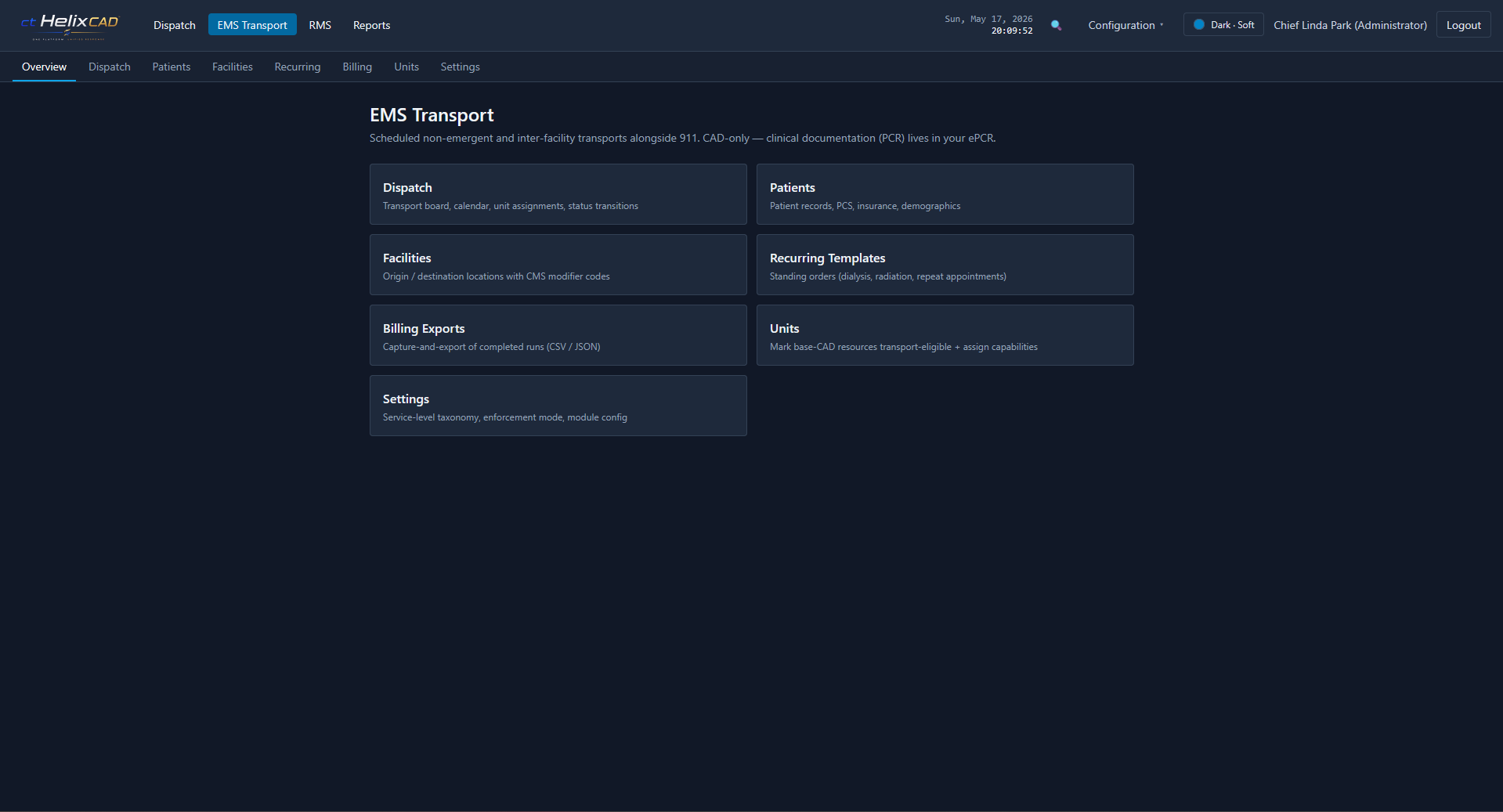
Per-incident patient roster: name, DOB/age, sex, chief complaint, triage tag number, triage category (Red/Yellow/Green/Black), status. Triage categories and patient statuses are configurable.
Named on-scene zones (Triage, Minor Injuries, Morgue, etc.) with capacity, location, and supervisor assignment. Patient movement between areas is logged.
Hospital and receiving-facility database — name, address, lat/lng, type (ED, urgent care, behavioral health, etc.). Drives the destination picker on every transport.
Scene-to-facility transports with explicit phase timestamps: loaded, departed scene, arrived destination, transfer of care, cleared. Transport phase drives unit status automatically.
Configurable transport categories — BLS, ALS, Critical Care, Cardiac, Bariatric, custom. Per-agency. Drives billing classification and reporting.
Schedule discharges, dialysis runs, inter-facility transfers, and standing-order routes alongside live 911 traffic. Same board, same units, mixed-mode.
Capture-and-export only. HCPCS codes for procedures and equipment. PCS expiration tracked per patient/template. On-demand export for your billing partner — we don’t produce 837P claims.
Patient Manifest (mass-casualty roster with triage, destination, and transport status) and Transport Log (per-transport timestamps end to end). Same PDF rendering as the rest of the suite.
PHI tables scoped to the transport module, encrypted at rest. PHI audit log distinct from the general audit log. Role-gated access. Short admin session timeouts. (Final posture depends on how you deploy — talk to us about your framework.)
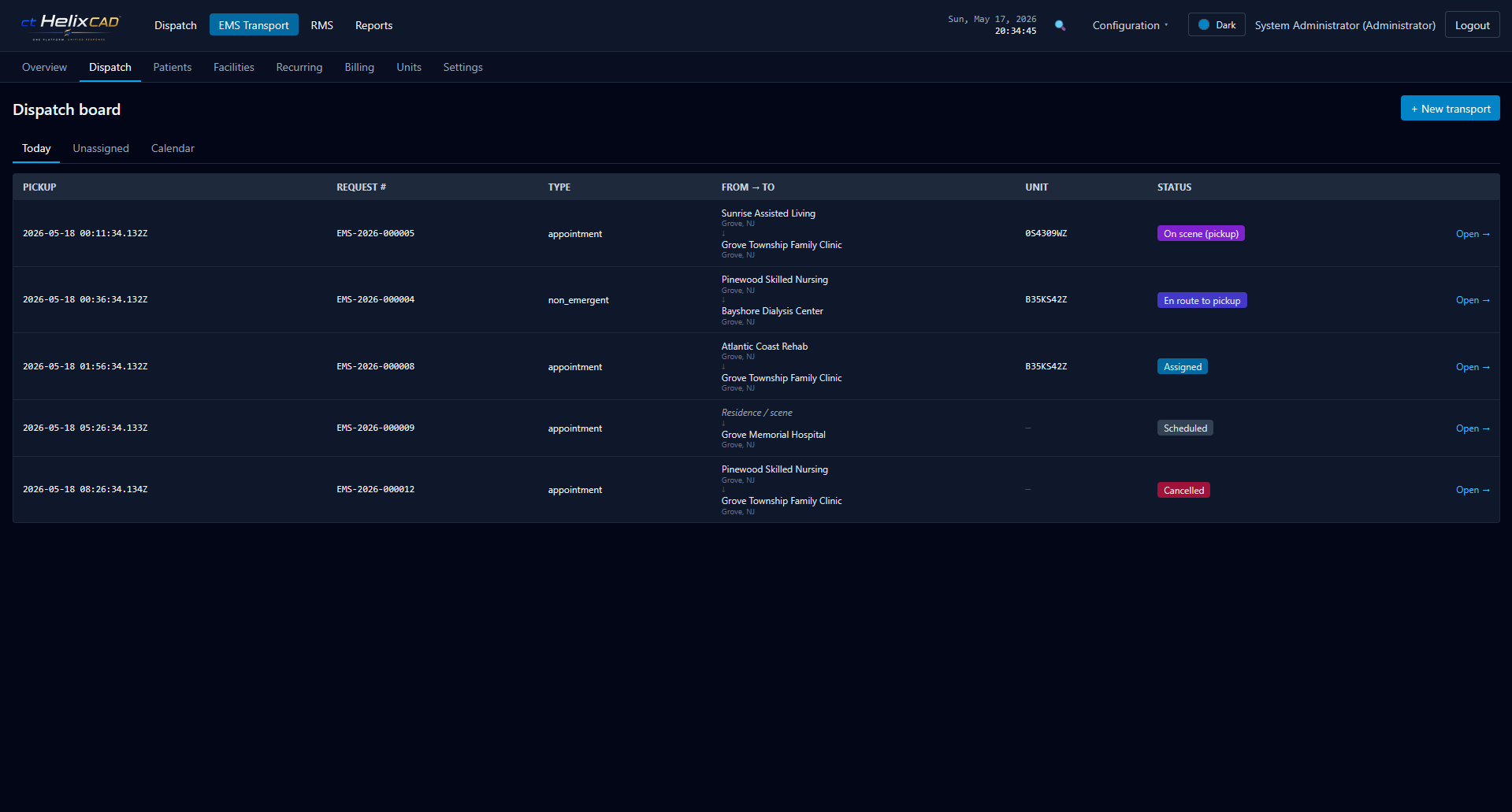
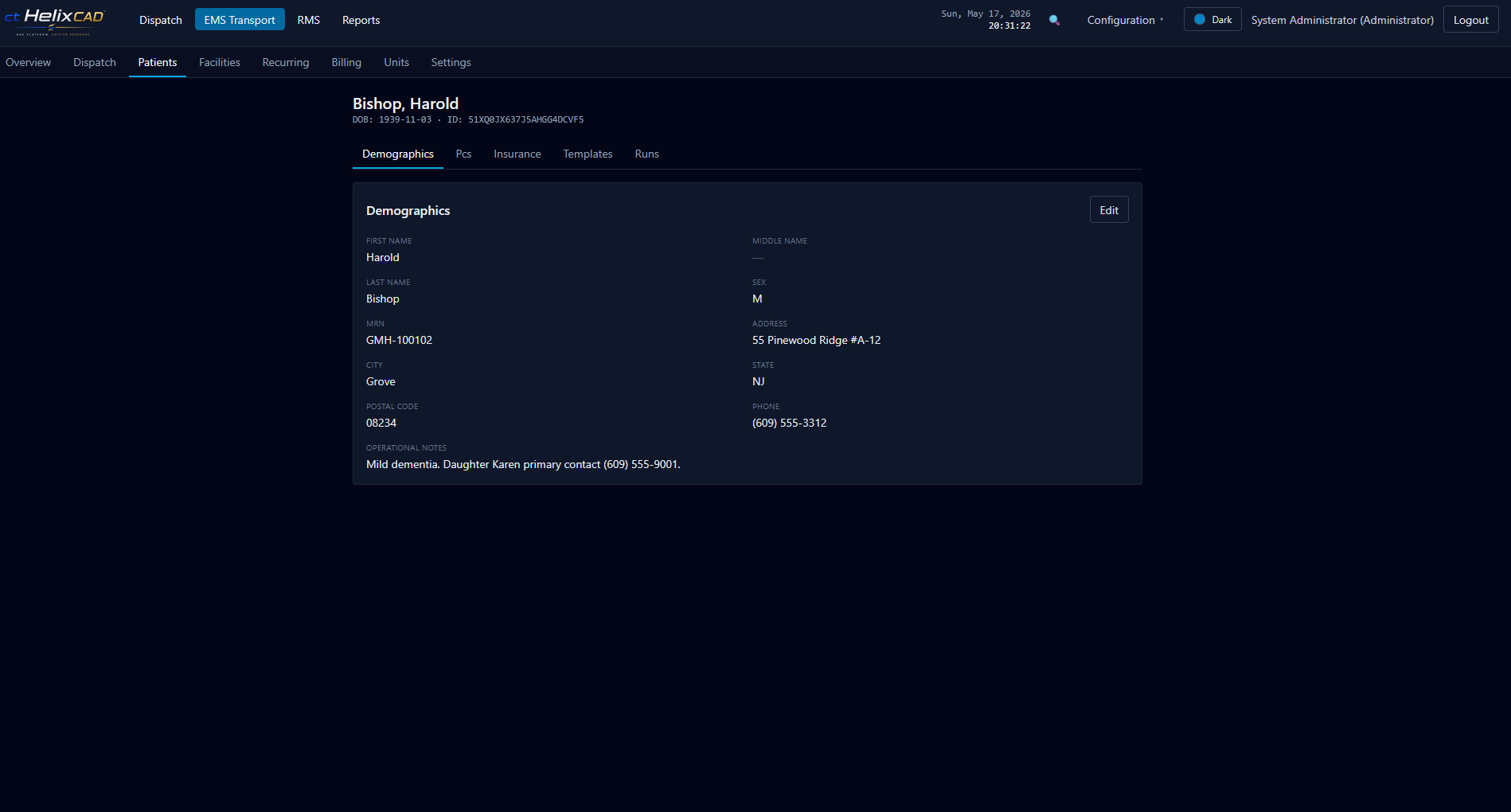
All names, agencies, addresses, and other data shown in EMS Transport screenshots are fictional sample data.
We don’t replace your patient care report and we don’t produce 837P claims. EMS Transport captures the CMS-aligned data each transport needs and exports it for your billing partner.
Tell us the feature your team cares most about. We’ll start the demo there.