
Schedule what you can
Dialysis runs, IFTs, standing-order routes, scheduled discharges. Built once as recurring templates, instanced on the calendar, claimed by a unit when it’s ready.
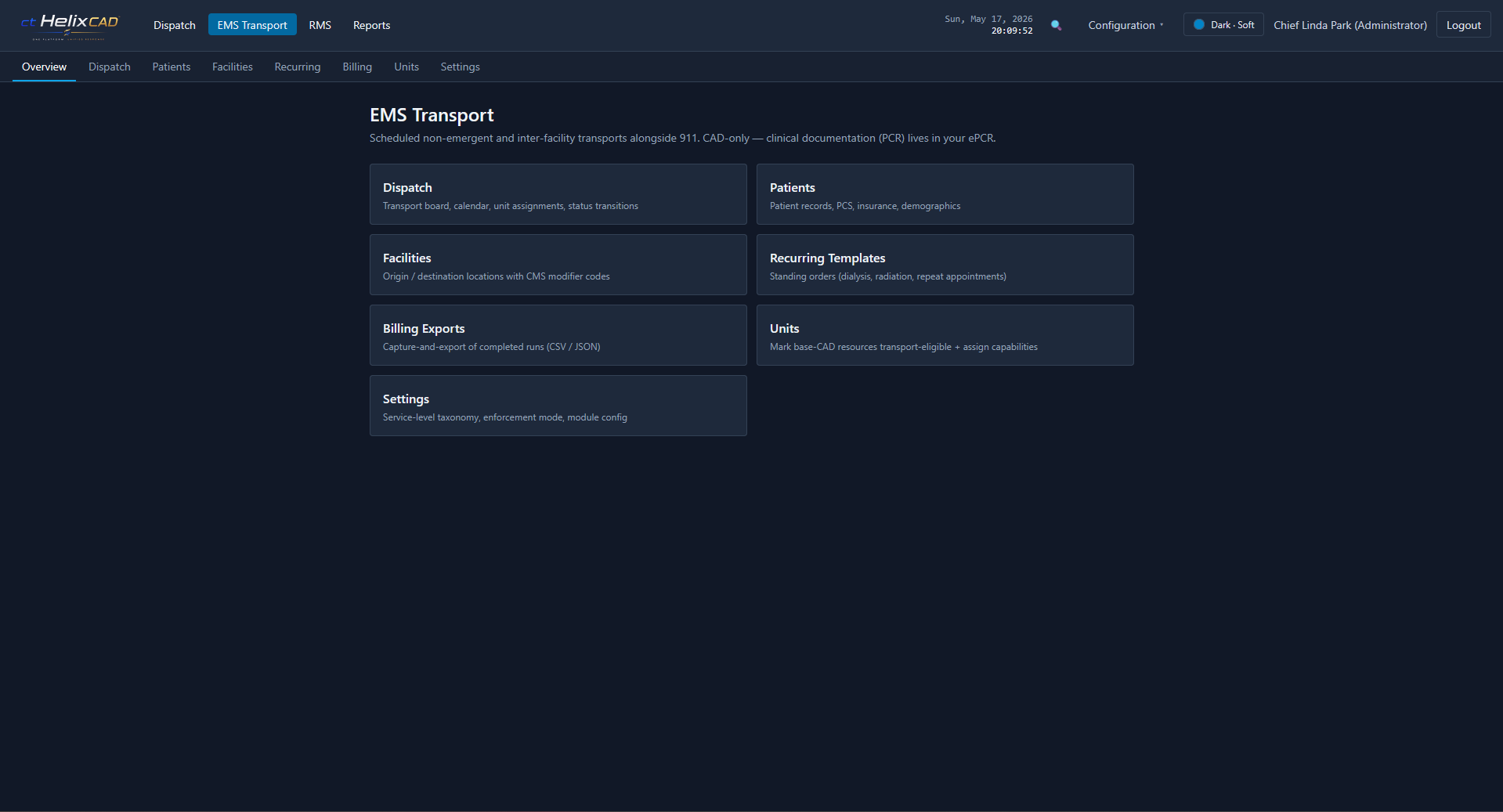
EMS Transport extends ctHelixCAD™ with a transport-specific dispatch board, multi-patient transports, treatment areas, billing data capture, and HIPAA-friendly primitives. CAD-only — we capture the data, you keep your existing PCR. The module stays hidden until your license enables it.
One board, both modes
Real EMS work is half planned, half live. EMS Transport handles both on the same surface, on the same units, with the same audit trail.
Dialysis runs, IFTs, standing-order routes, scheduled discharges. Built once as recurring templates, instanced on the calendar, claimed by a unit when it’s ready.
Unscheduled requests, MCI overflow, transport requests from on-scene units. Same board, same statuses, same audit thread as your scheduled work.
EMS Transport runs alongside your live 911 traffic. The transport board is its own surface, but the units, the audit log, and the operator are shared with the rest of dispatch.
The dispatch board
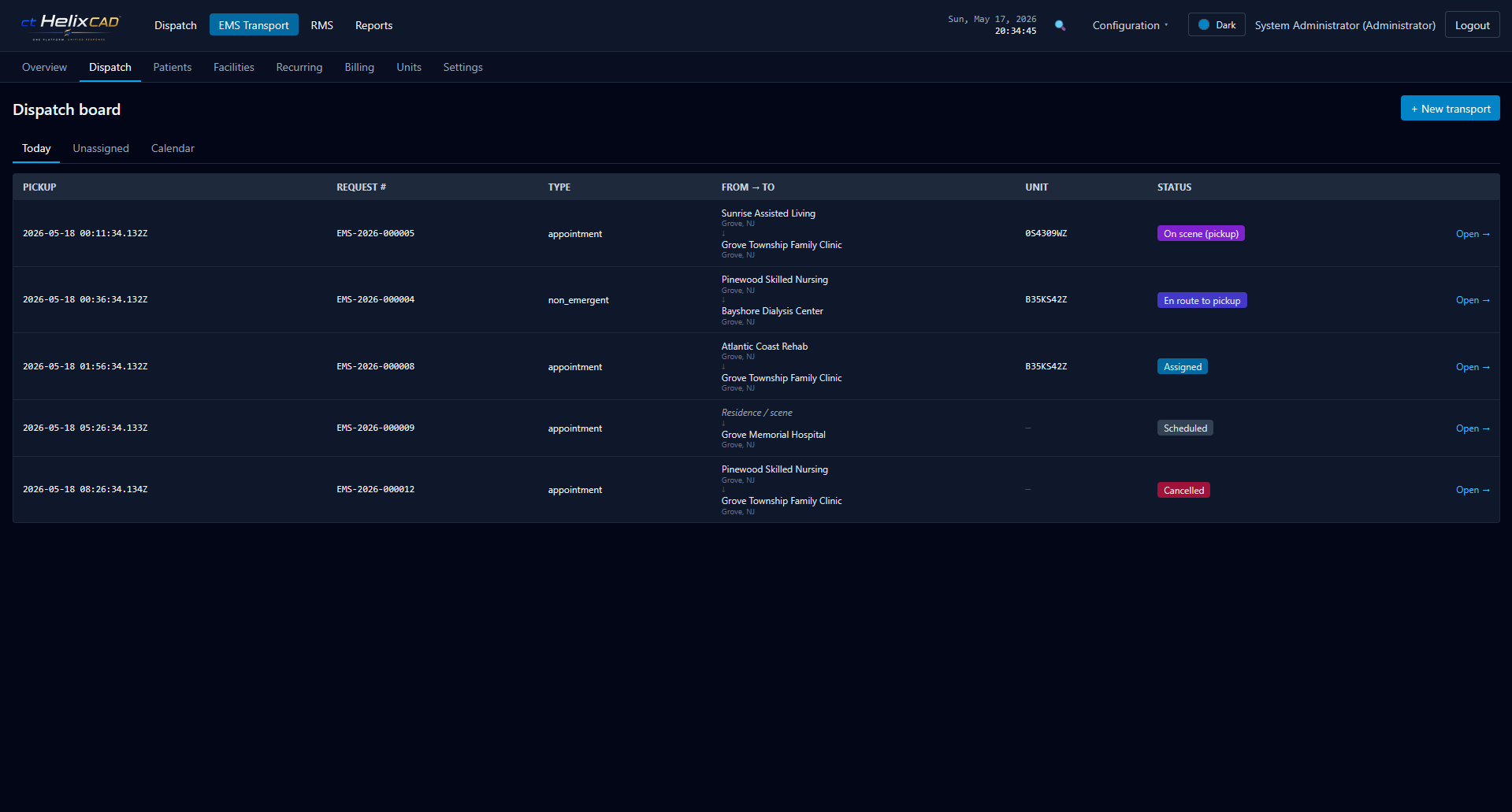
The transport dispatch board is its own surface. Today, Unassigned, and Calendar tabs let dispatchers move between live triage and forward planning without losing context. Status chips read at a glance — Scheduled, Assigned, En route, On scene, Cancelled.
Pickup time, request number, type, from → to facilities, unit assignment, and status all on one row. Click in for phases, patient detail, billing fields, and the audit thread.
Dispatching workflow
From request to cleared, every phase is timestamped and attributed. The unit board, the patient record, and the audit log update together — no separate after-action reconciliation.
New transport entered from the dispatcher, or instanced automatically from a recurring template. Origin, destination, pickup time, type, service level, and the patient (if known).
When a unit is assigned, the system checks the unit can handle the requested service level. Per-agency setting: skip, allow-with-warning, or reject. Time-overlap conflicts get the same treatment.
Unit is bound to the transport request and the status moves to Assigned. The unit sees it on the dispatcher board and on its mobile surface immediately.
En route to pickup → On scene (pickup) → Loaded → En route to destination → On scene (destination) → Transfer of care → Cleared. Each phase is timestamped; the unit status follows the transport phase automatically.
PCS expiration confirmed, HCPCS codes captured, mileage recorded. Closed transports flow into the Patient Manifest and Transport Log reports; the billing export pulls the same data on demand.
What’s tracked per transport
BLS, ALS, Critical Care, Cardiac, Bariatric, and custom — per-agency. Service-level enforcement modes are configurable so policy can grow as the operation does.
Hospital and receiving-facility registry — name, address, lat/lng, and type (ED, urgent care, behavioral health, dialysis, skilled nursing). Drives the destination picker on every transport.
Per-incident patient roster: name, DOB/age, sex, chief complaint, triage tag and category (Red/Yellow/Green/Black), and status. Triage categories and statuses are configurable.
Named on-scene zones — Triage, Minor Injuries, Morgue, etc. — with capacity, location, and supervisor assignment. Patient movement between areas is logged.
Multiple patients on a single transport when the operation calls for it. Explicit phase timestamps, transport-level service level, per-patient triage and destination.
Mileage tracked at the status transitions that matter, with an audit trail linked to the originating transport. Aggregate reports by unit.
Patient management
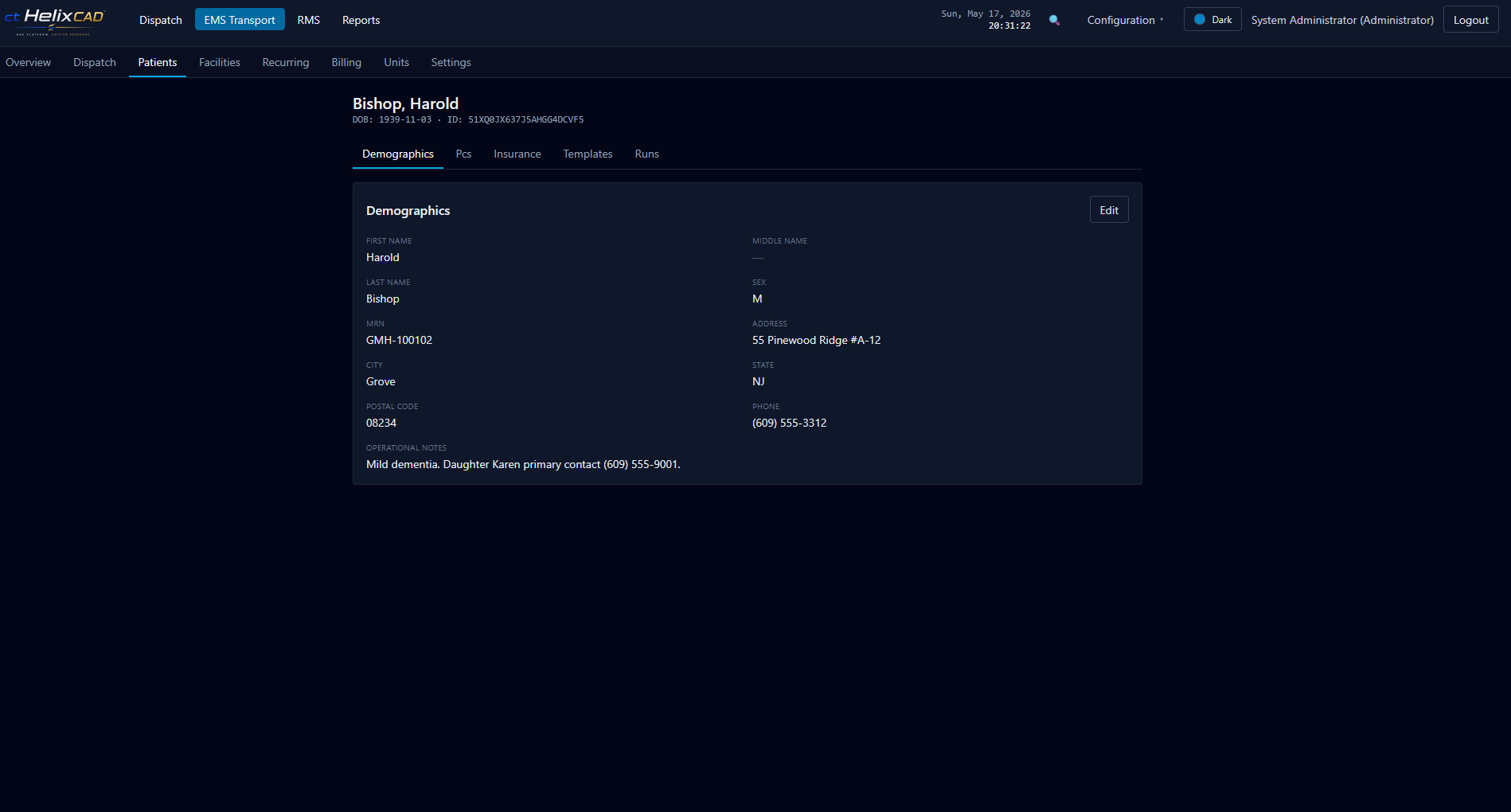
Demographics, MRN, address, phone, and operational notes (mobility constraints, primary contact, medical considerations dispatch needs to know). Tabs for PCS, insurance, recurring templates the patient is on, and prior runs.
A patient created from a transport is the same patient on the next standing-order run. Dispatch isn’t typing the same details twice.
Configurable enforcement
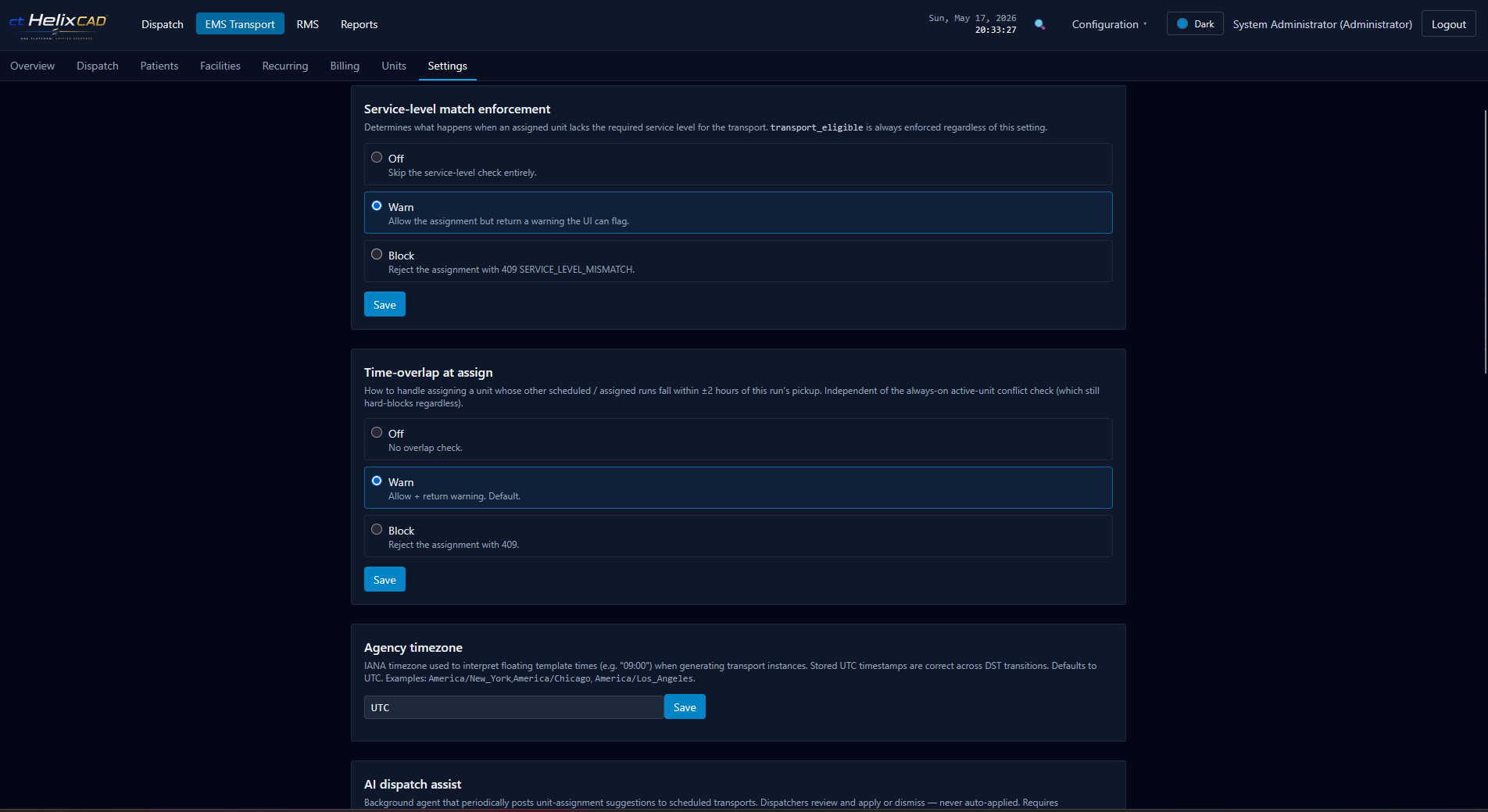
Service-level matching, time-overlap protection on unit assignment, agency timezone for floating template times — all per-agency, all changeable as your operation grows. Each enforcement mode supports three settings: skip the check, allow with a warning, or block the action outright.
Pilot programs start permissive and tighten over time. Mature operations start strict. Either is one toggle away.
Billing data capture
EMS Transport doesn’t produce 837P claims. It captures the CMS-aligned data each transport needs and exports it for the billing partner you already use.
HIPAA-friendly primitives
Final compliance posture depends on how you deploy. Talk to us about your framework.
All names, agencies, addresses, and other data shown in screenshots throughout this page are fictional sample data.
We’ll spin up the module live and walk through scheduling, dispatching, patient capture, and billing export.